Nothing leaves your computer. Not even by accident.
The app’s window is built so it cannot make network requests at all. Your notes, tasks and logs live in a database on your own disk. Pull the network cable and it works exactly the same.
Private by design · For Windows
Marginalia turns a messy page of thoughts into tasks, dates and categories, entirely on your own computer. No account. No cloud. No subscription.
 Marginalia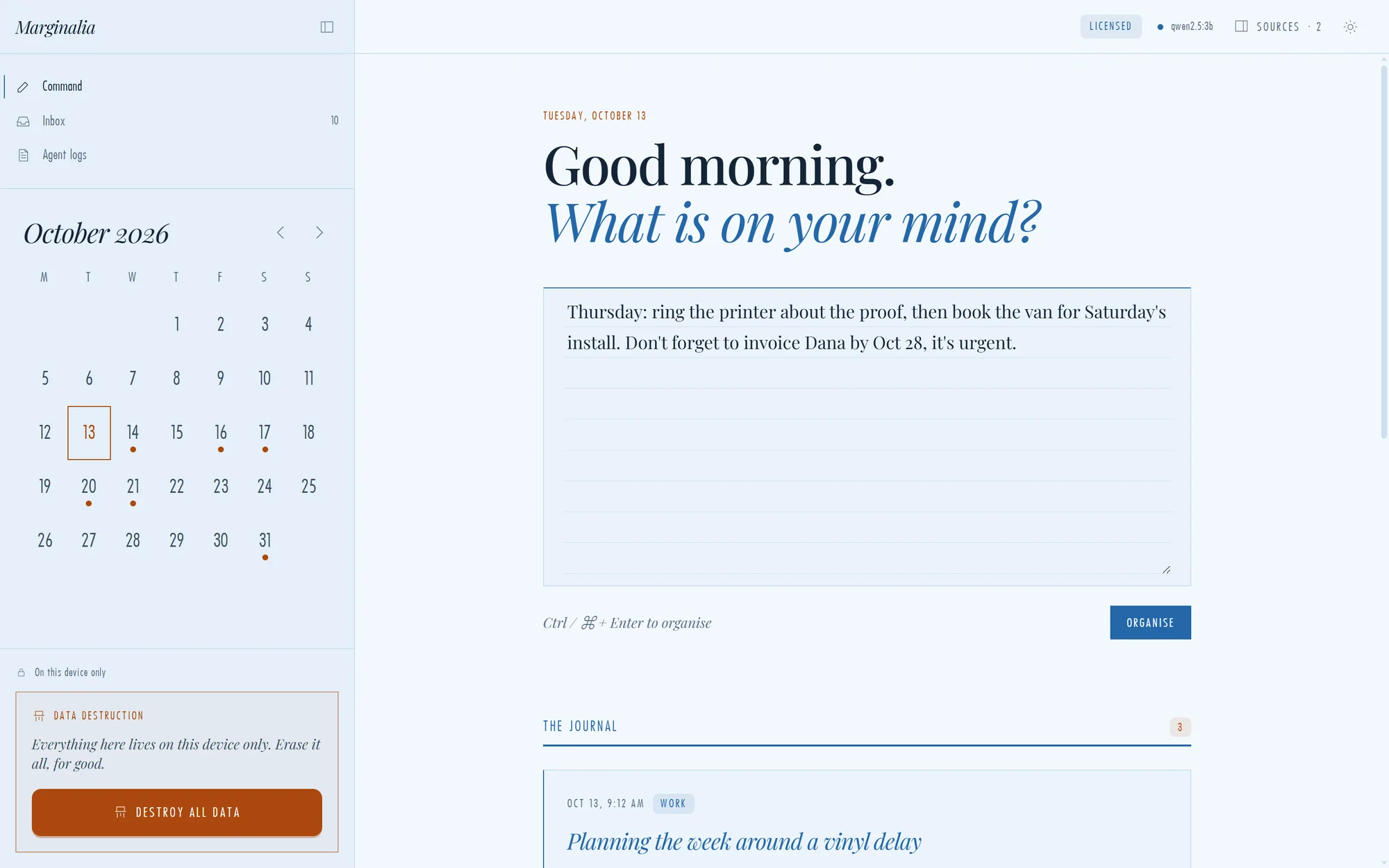
Most note apps want your notes. Marginalia wants you to keep them. Write freely, and let it quietly turn the mess into a plan, on your own computer, where only you can read it.
See it work
Write the way you think. Marginalia finds what you actually need to do, reads the dates, and ignores the chatter.
“My sister says the new cafe on Main is great.” Skipped. It’s an opinion, not an action.
Reads like a person
“Tomorrow.” “By Friday.” “Next Wednesday.” Marginalia turns the words you naturally use into real calendar dates, and puts a dot on the day. No date pickers. No typing 2026-10-16.
Dates and urgency are worked out by dependable code, not left to an AI to guess, so “next Wednesday” always means the same thing.
Everything it does
The app’s window is built so it cannot make network requests at all. Your notes, tasks and logs live in a database on your own disk. Pull the network cable and it works exactly the same.
Every date it finds lands on the calendar. Click a day to see what’s due.
Out of the box, built-in rules sort your notes in a blink. Add a free local AI model and it writes cleaner titles. Either way, it all runs on your machine.
Export everything to a file you keep. Add a passphrase and it’s locked with AES-256 before it ever touches the disk.
A calm, editorial design with a theme for every hour.
No subscription, no “upgrade to unlock”, no data held hostage. Plus applicable tax. Try it free for 30 days first.
Take a look
Real screenshots from the app. No clutter, no feed, no notifications asking for attention.
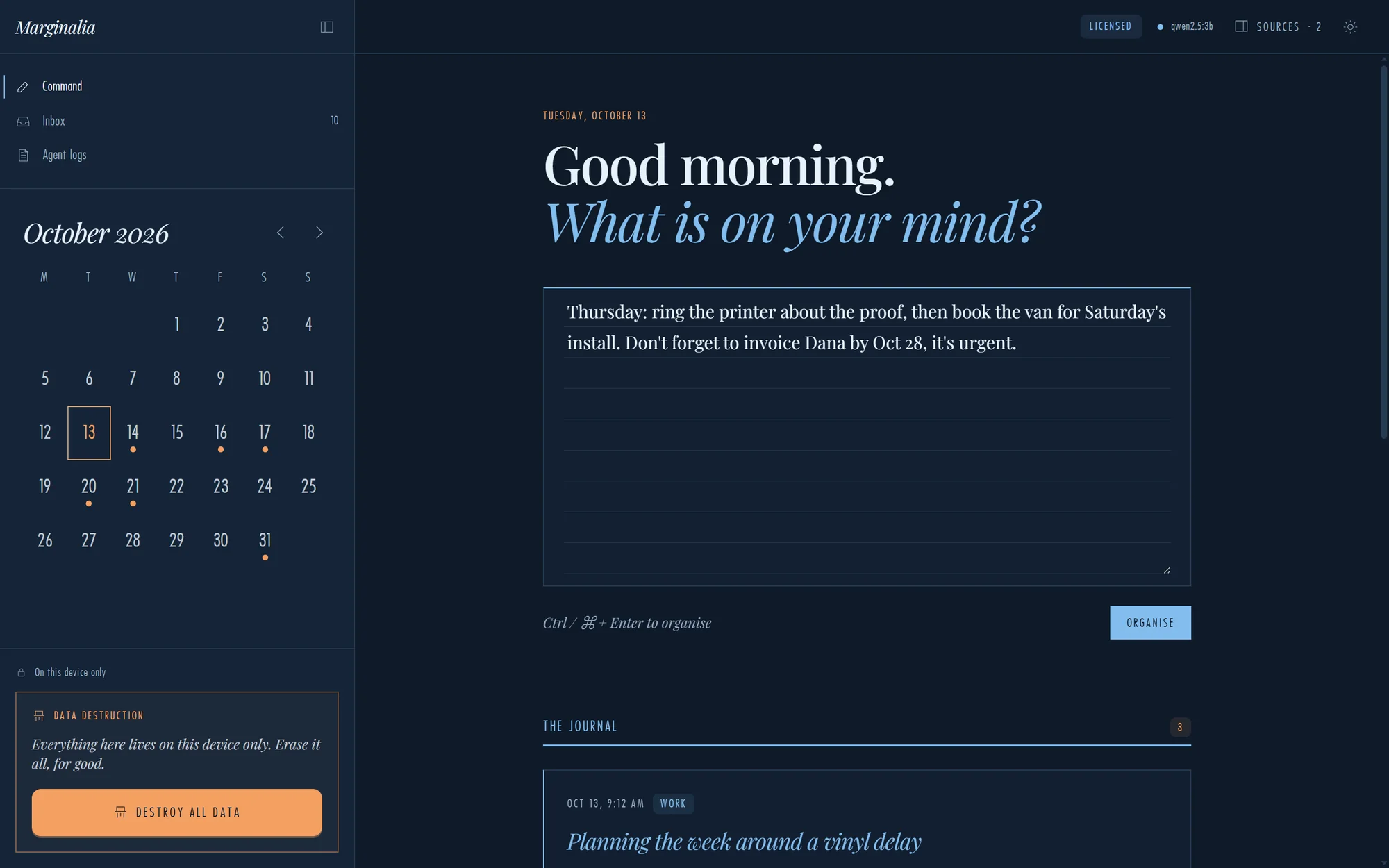
MarginaliaCommand centre. A distraction-free page that feels like a notebook, not a chat window.
Marginalia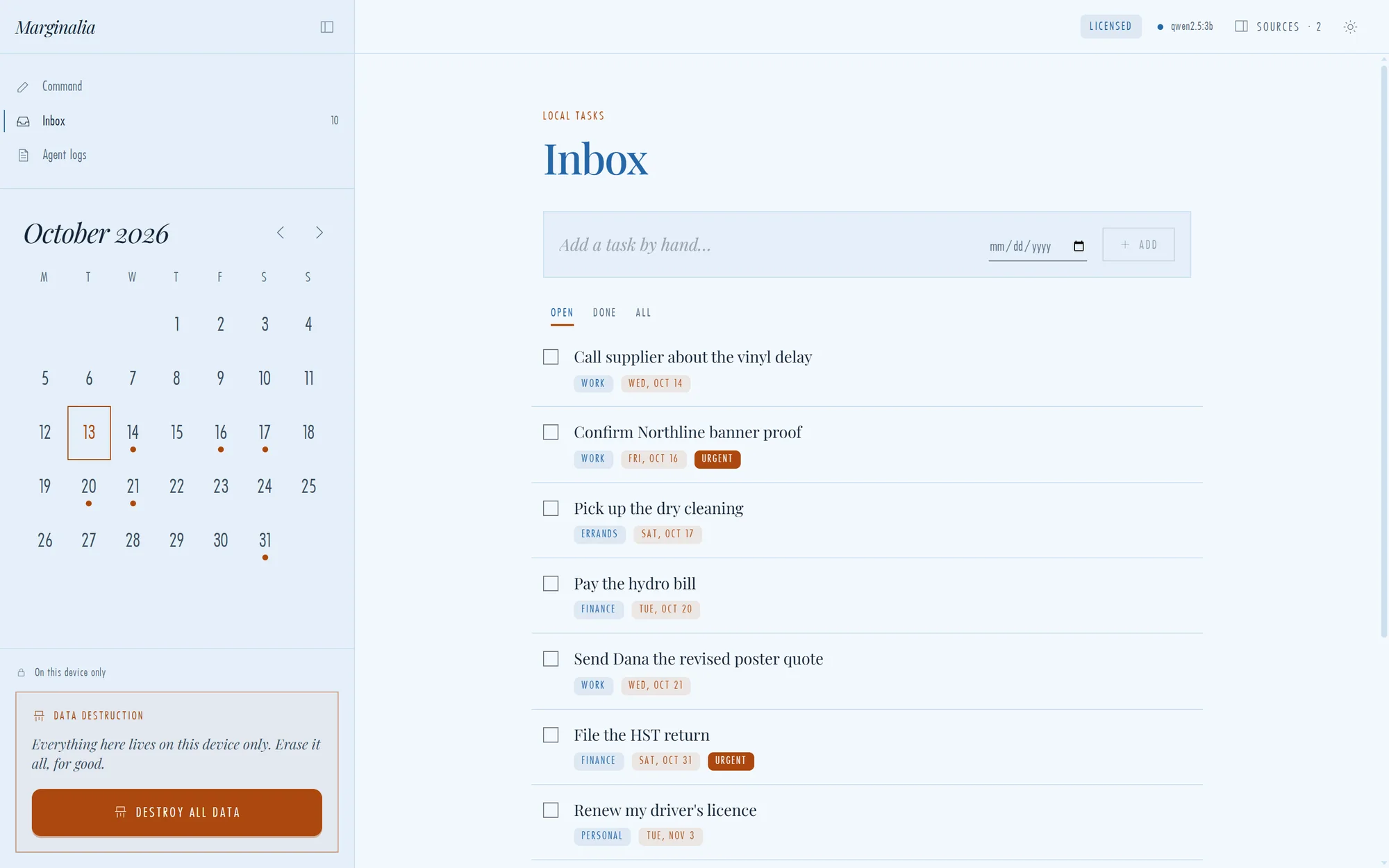
Inbox. Every action it found, with category, due date and urgency already filled in.
MarginaliaDark mode. Follows your system, or switch with one click.
Marginalia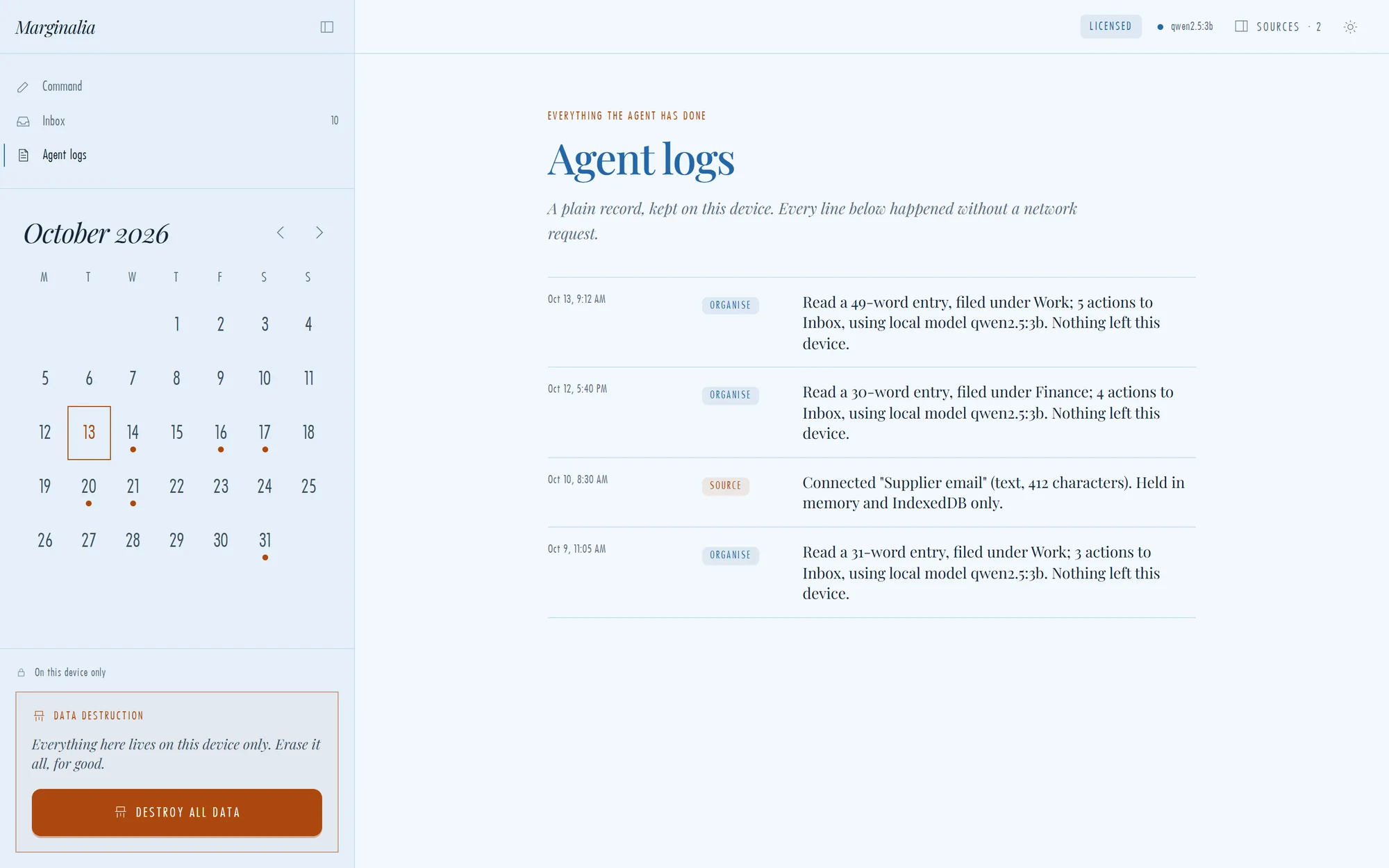
Agent log. A plain record of everything the app has done, each line confirming nothing left your device.
Marginalia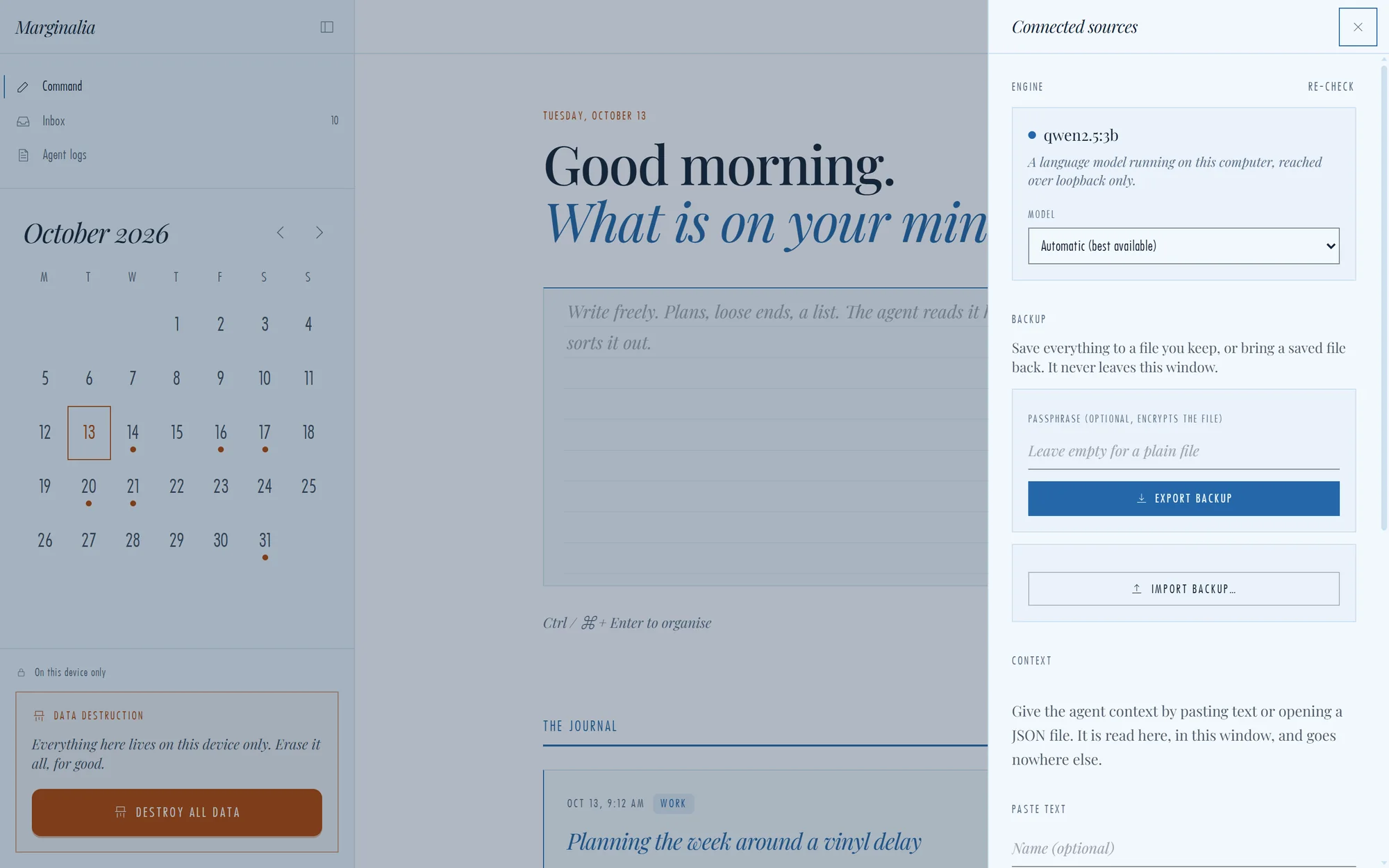
Engine & backup. Choose your engine, connect notes and files, and export an encrypted backup.
How it works
Dump everything on the page: plans, loose ends, half-thoughts. No format required.
Press one button. It finds the actions, reads the dates and files everything by category.
Work from your Inbox and calendar. Tick things off. Your notes never left the building.
Who it's for
If you’d be uneasy pasting it into a cloud app, it belongs in Marginalia.
Jobs, quotes, supplier calls and customer promises, captured the moment they come up and never lost in a text thread.
“Call the supplier tomorrow, quote Dana by Friday.”
Client matters stay on your machine. Meeting notes turn into dated follow-ups without a third party ever seeing them.
“File the return by Oct 31. Chase the signed engagement letter.”
Session reminders and personal follow-ups in one private place, with no account and no data held on someone else’s servers.
“Check in with the Thursday client. Order supplies.”
Turn a rambling brain-dump after a meeting into owners, deadlines and a calendar, in the time it takes to press a key.
“Priya reviews the proposal next Wednesday.”
A quiet notebook that keeps your drafts and deadlines private, then reminds you what’s due and when.
“Essay draft by Nov 3. Read chapters 4 to 6.”
Anyone tired of feeding every thought to an app that might use it for something else. Offline, local, yours.
“Book the dentist. Renew my licence.”
The difference
| Marginalia | Typical cloud AI notes app | |
|---|---|---|
| Where your notes live | On your computer only | On the provider’s servers |
| Account required | No | Yes |
| Works with no internet | Fully | Usually not for AI features |
| Who can read your notes | Only you | Depends on the provider’s terms |
| AI runs | On your machine, optional | In the cloud |
| Price | CA$49 once | Monthly or yearly subscription |
A general comparison with typical cloud-based AI note apps. Individual products vary.
Pricing
Try everything free for 30 days. Keep it for a single payment.
one-time payment, for one computer, plus any tax that applies where you live
Choose your location to see your exact total.
Your Machine ID:
Secure payment by Square. Your licence key works on one computer. A tax invoice comes with your key. Questions? admin@4cdigital.com
Questions
Download Marginalia and try it free for 30 days. No account, no card, nothing uploaded.
Version 0.1.0 · 107 MB · Windows 10 & 11 (64-bit)